

Overview
OneCLI connects AI agents to Gmail through Google’s OAuth flow. Agents can search your inbox, read messages, draft and send emails, and manage labels. The gateway injects OAuth credentials into requests to the Gmail API automatically. This is useful for agents that need to process incoming messages, send notifications, or automate email workflows on your behalf.Setup
1
Go to Connections
Open the OneCLI dashboard and navigate to Connections > Gmail.
2
Authorize
Click Connect Gmail. You’ll be redirected to Google to authorize OneCLI. Review the permissions and click Allow.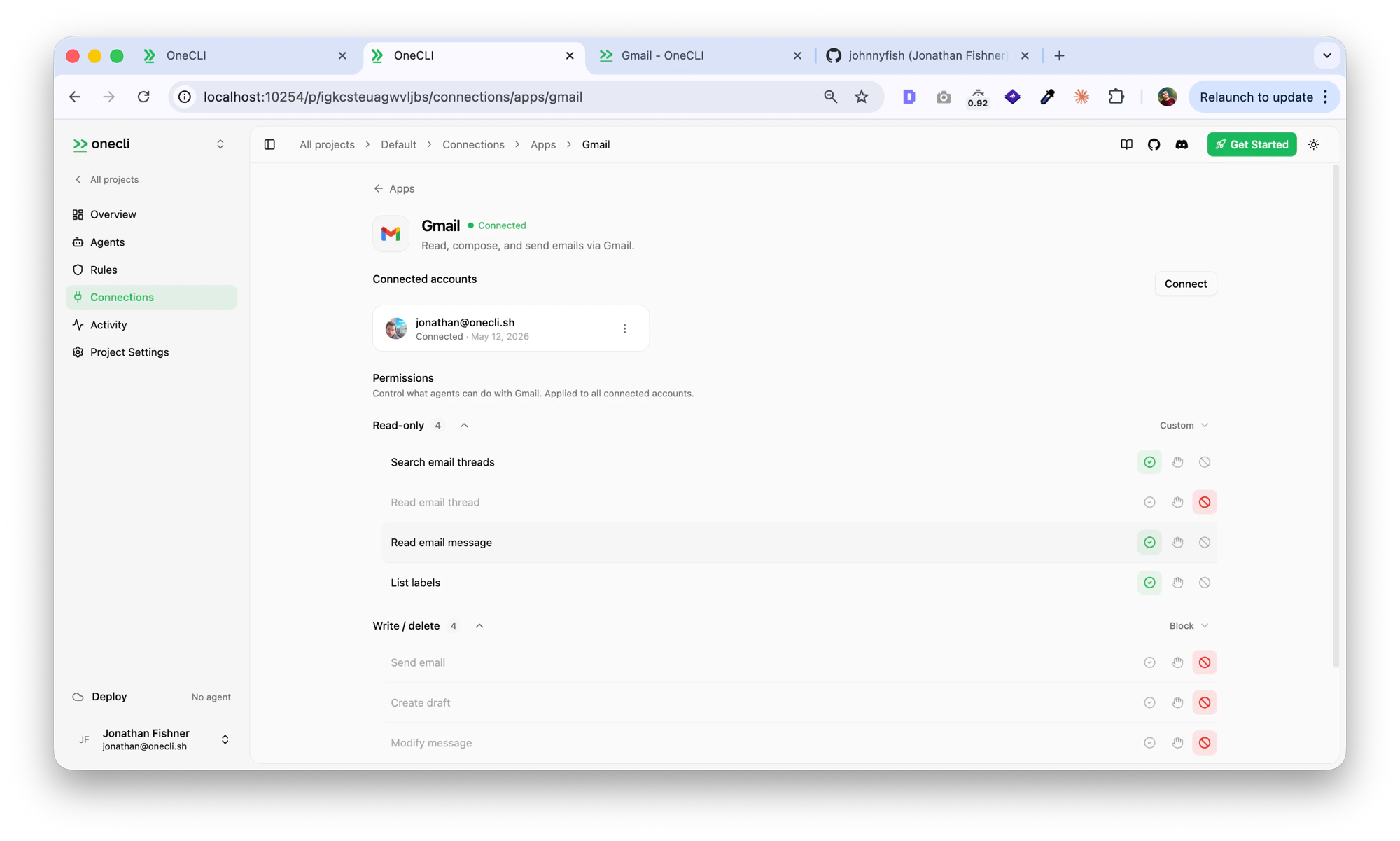
What agents can do
- Search your inbox for messages matching a query (sender, subject, date range, labels)
- Read the full content of individual emails, including attachments
- Draft new emails with specified recipients, subject, and body
- Send emails on your behalf
- Reply to or forward existing messages
- Create, rename, and delete labels
- Move messages between labels (e.g., archive, mark as read, move to a folder)
- List and filter threads by label or search criteria
- Batch modify messages (mark as read, add/remove labels)
Per-action permissions
The dashboard lets you control exactly what agents can do with Gmail. Each action can be set to Allow (green), Ask (yellow, requires human approval), or Block (red). Read-only actions:
Write / delete actions:
Use the Read-only preset to let agents search and read but never send, or Block all write actions and configure individually.
Controlling access
Access is per agent: grant the Gmail connection to each agent that needs it, choosing per tool what runs freely, what needs human approval, and what stays blocked — for example, allowsearch_messages but require approval for send_email. Organization rules add guardrails on top, like rate-limiting sends or requiring approval for emails matching a body condition. Everything is checked before credential injection, so a blocked request never reaches Gmail.