Bulk Updates, One Approval
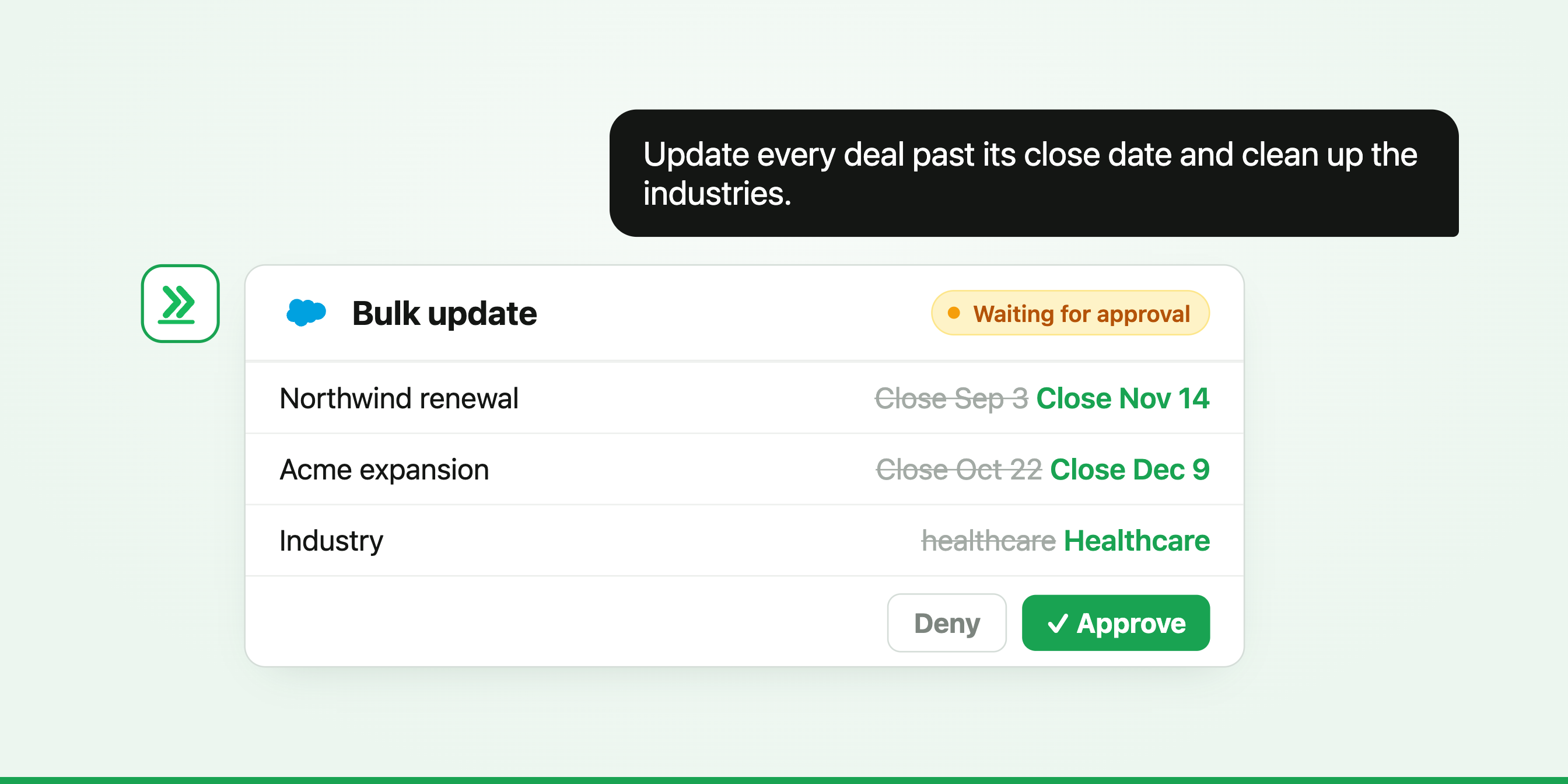
Every CRM needs the same small updates, over and over.
A few common ones: (1) deals that ended months ago but are still open, (2) the same industry written five different ways, (3) the same customer saved twice.
Fixing them by hand would take an afternoon nobody has. An agent can do it in one bulk update, while you just click approve.
Nobody lets a CRM fall behind on purpose. It happens one skipped update at a time, after a call that ran long, before a meeting that started early. No single fix is hard. There are just hundreds of them, and none is ever urgent enough to win.
So we handed the whole backlog to an agent. We set up a Salesforce demo org, filled it with the kind of mess every real CRM collects, and gave it to the same agent our customers use.
Deals that quietly stopped moving
The first job was the one that comes up before every forecast: open deals whose close date has already passed. In a real team, someone would decide what each one means. For the demo, we picked a simple rule: anything past its close date gets marked as lost. We asked the agent to find every match and show us the list before touching anything.
We said go, and instead of a dozen record edits, this came up.
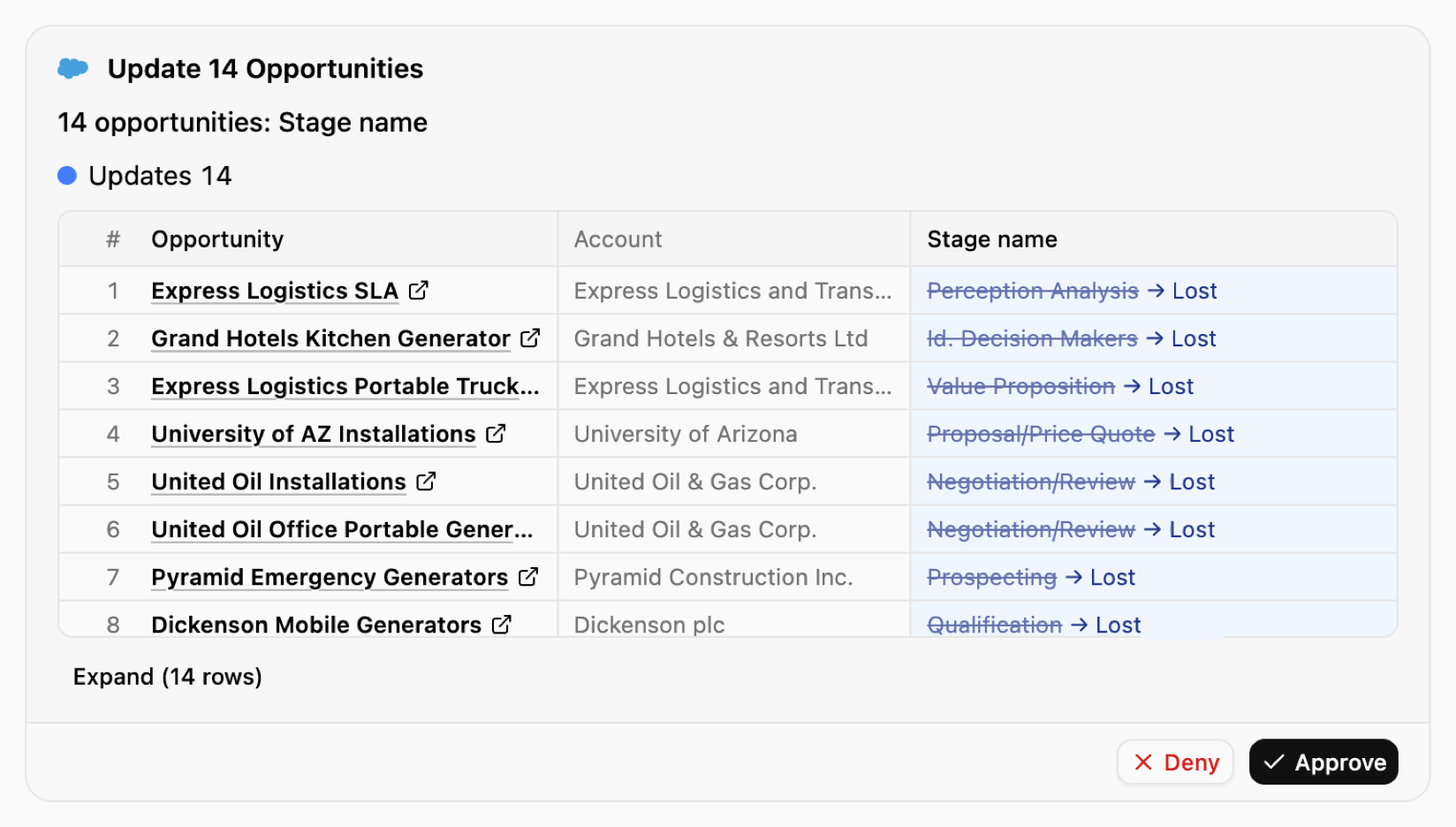
One read, one click, and every deal on the list was updated. In a real org, you could just as easily ask it to push the close dates forward instead, whatever your team decides.
Making your data consistent
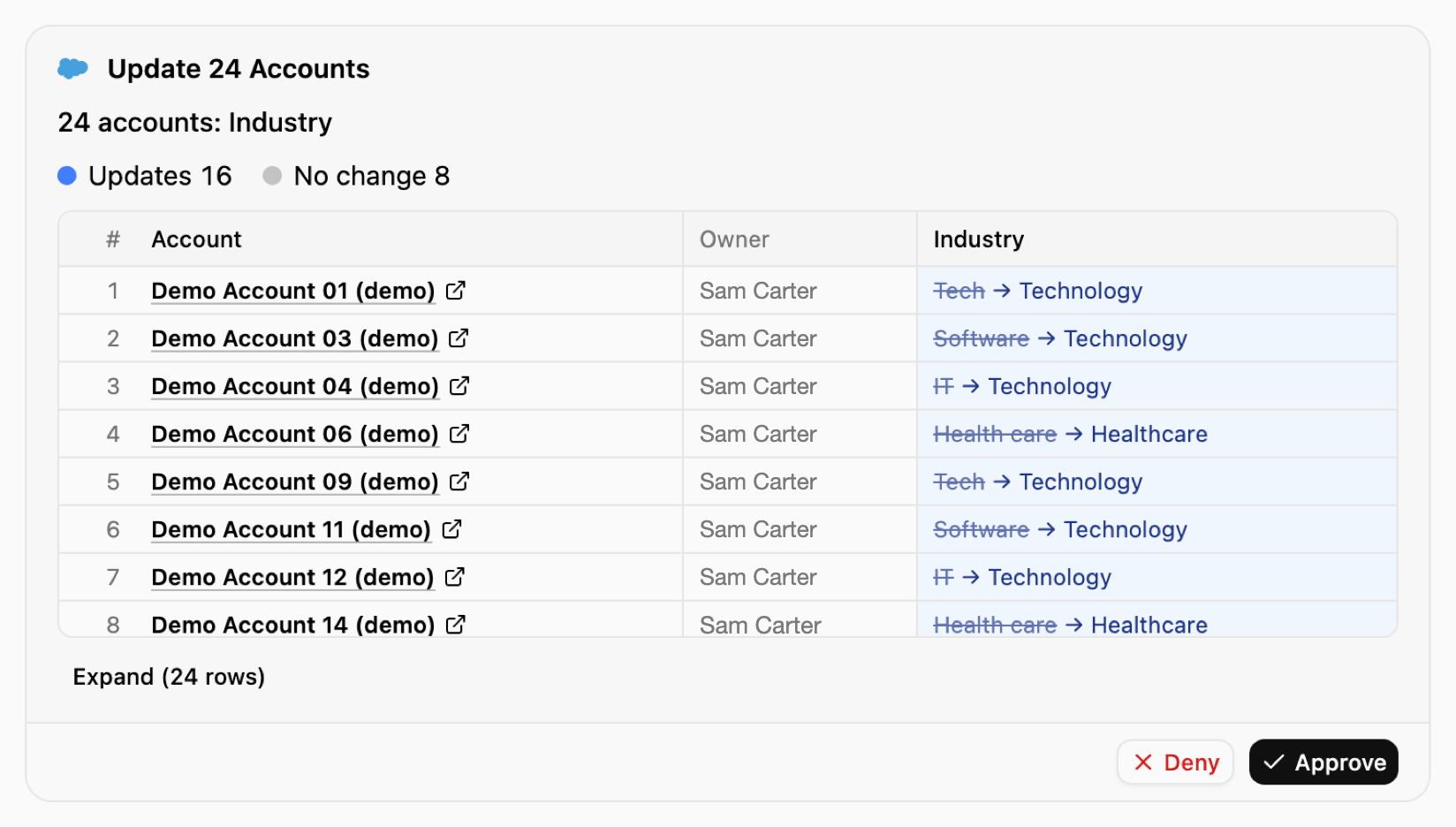
Next was making the data consistent. The industry field had the same industry written several different ways, which quietly breaks every report grouped by industry. The agent mapped each variation to one standard value, Tech to Technology, Health care to Healthcare. Then it stopped at Software and IT. Those might be real sectors, it said, and choosing the standard was our call. It's the question you'd hope a new hire would ask.
Cleaning up duplicates, smartly
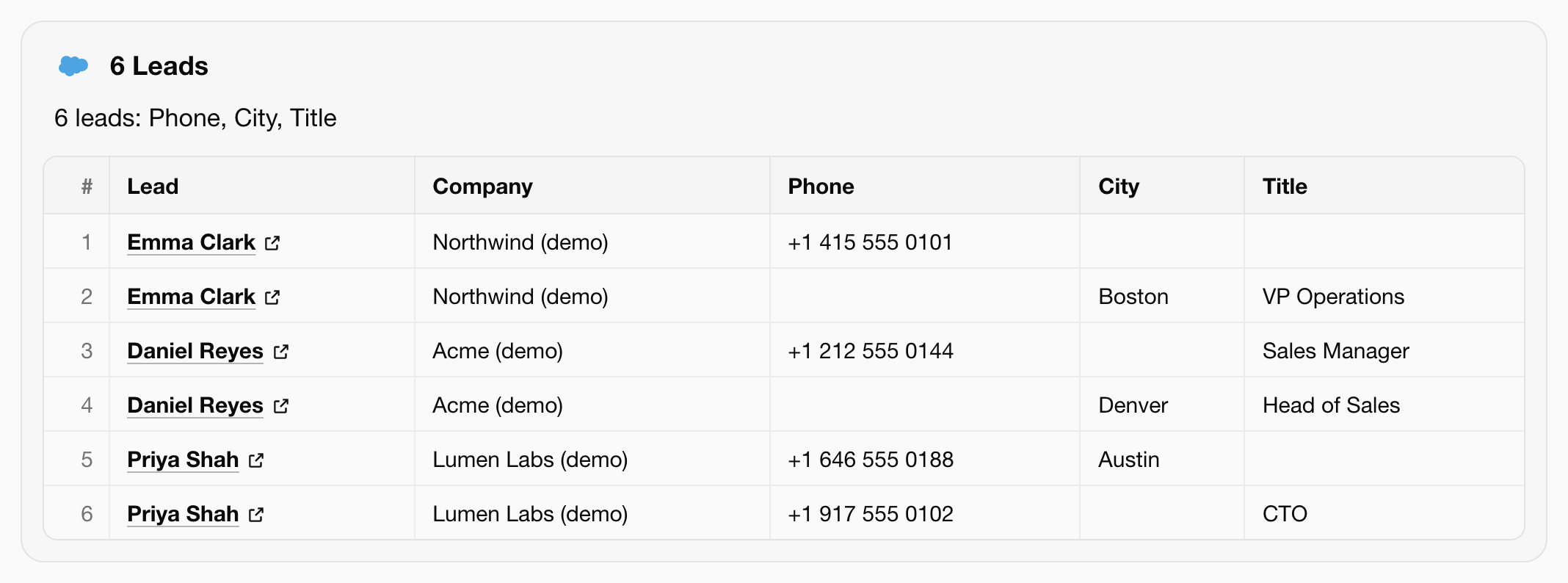
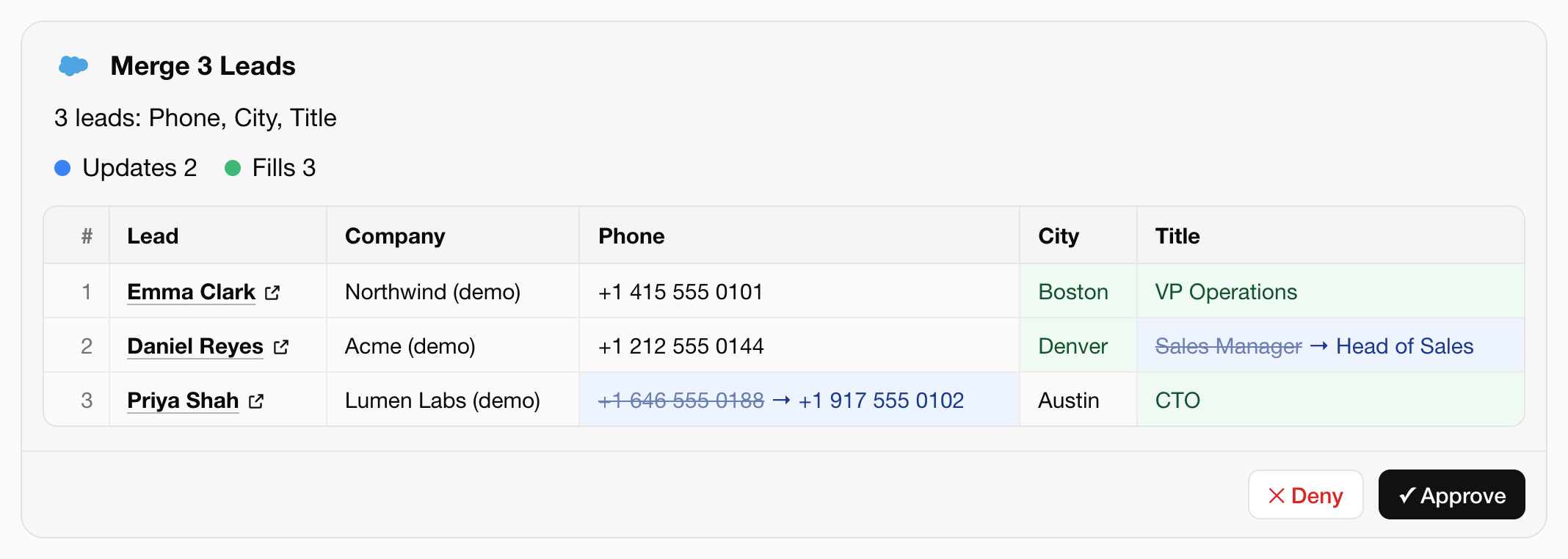
For the last test we planted three people, each entered twice, and made every pair messy in its own way. Emma's two records each held half of her details. Daniel had two different titles, which looked like a promotion. Priya had two different phone numbers.
With two records, half the history lives on each, and two people might reach out to the same lead. The agent found the pairs and proposed one record for each person. It combined Emma's details, kept Daniel's newer title, and asked us which of Priya's numbers was right instead of guessing. A merge can't be undone, so nothing changed until we approved it.
Example Leads with duplications
How to merge it with OneCLI agent
That's the whole idea. The cleanup nobody gets around to becomes one request and one click. The agent does the repetitive part, a person makes the calls that matter, and the CRM stays current every week instead of once a year.
AI teammates for every employee. Open source, self-hostable, and built for teams.
Get started