

User provisioning is a cloud-only feature available on all plans at app.onecli.sh.
How it works
- An admin provisions a new user (via the dashboard or SDK)
- OneCLI creates a placeholder user, project, API key, and default agent
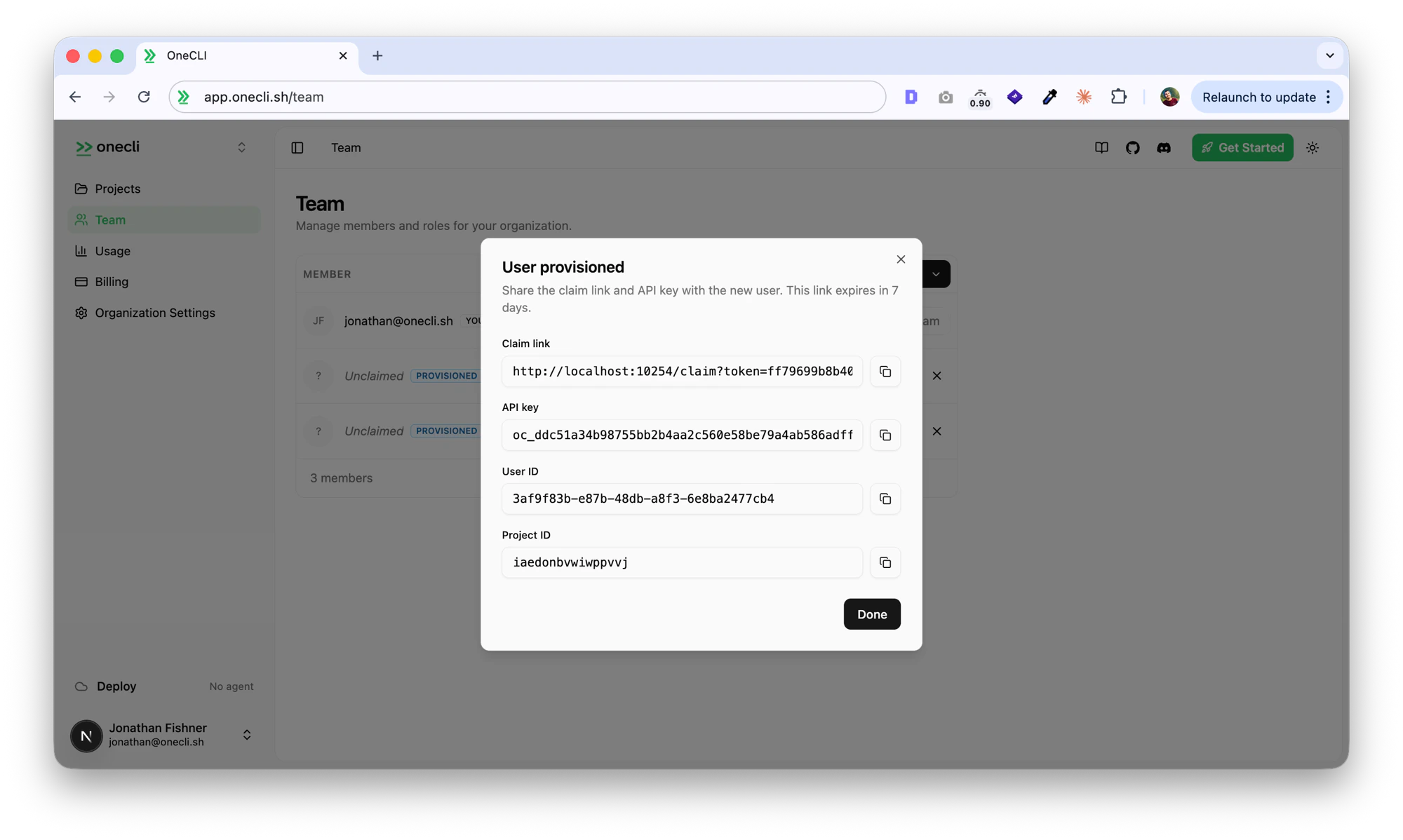
- The admin receives a claim link and API key
- The API key is usable immediately, so agents can start making requests
- When the user visits the claim link, they sign up and the account is linked to their identity
- Unclaimed provisions expire after 7 days and are automatically cleaned up
Provisioning from the dashboard
- Go to Team in the sidebar
- Click the dropdown arrow next to the Invite button and select Provision new user
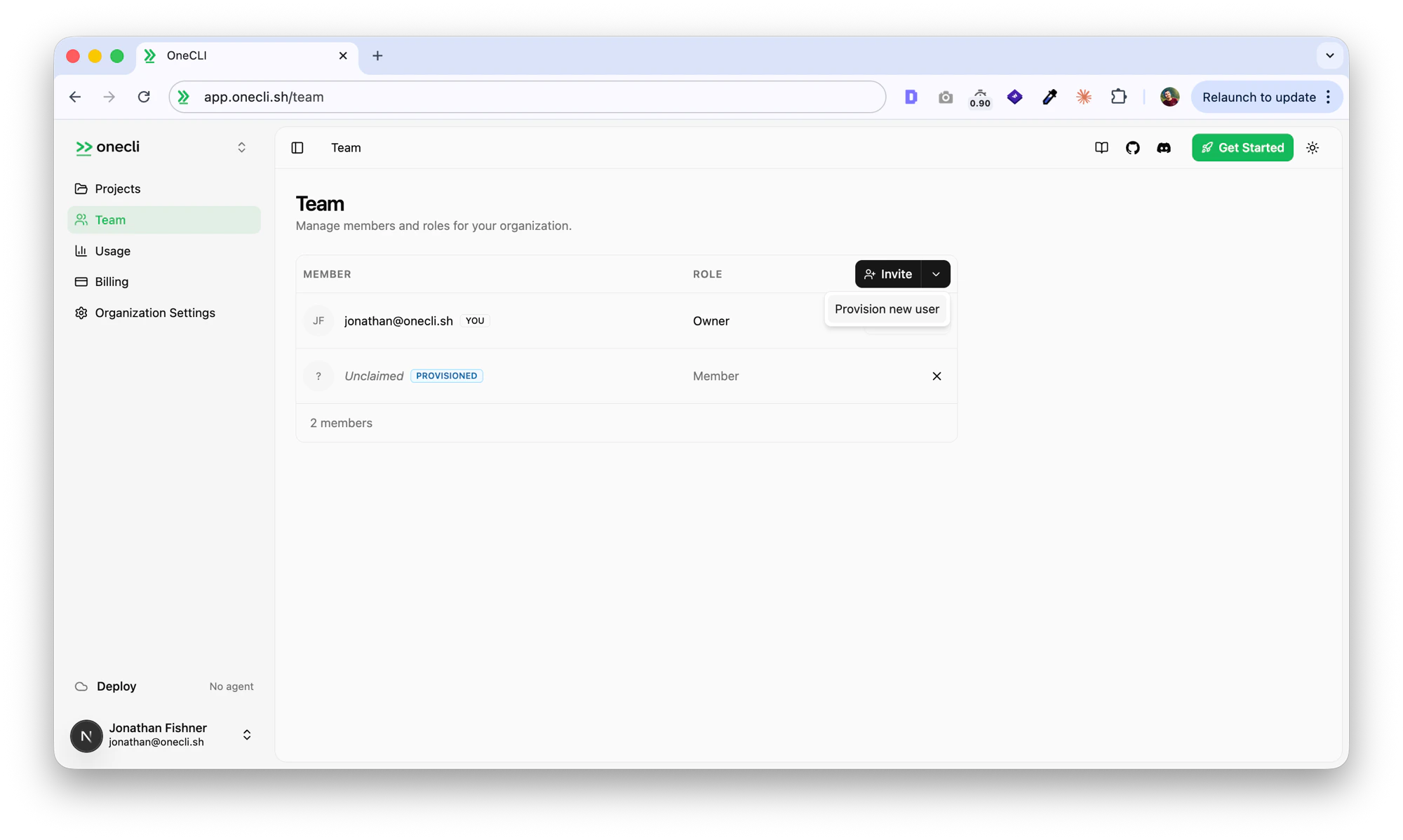
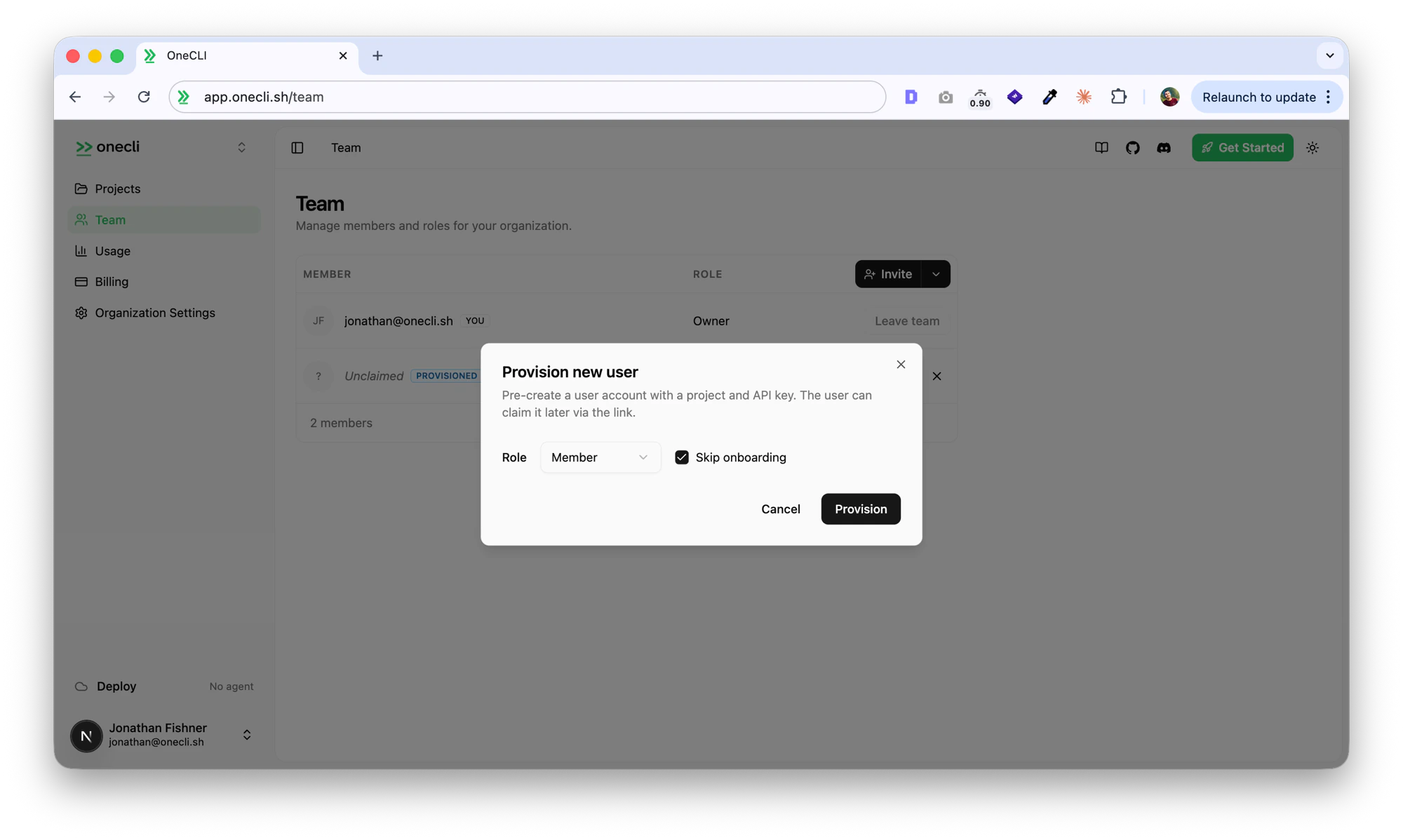
- Choose a role (Member or Admin) and whether to skip onboarding, then click Provision
- Copy the claim link, API key, user ID, and project ID
Provisioning from the SDK
Requires an API key from an admin or owner account.Parameters
Response
API endpoint
You can also call the API directly:Claim flow
When a provisioned user visits the claim link:- If not signed in, they’re prompted to sign up or log in
- After authentication, they see a confirmation page with the organization name
- Clicking Claim account links their identity to the provisioned account
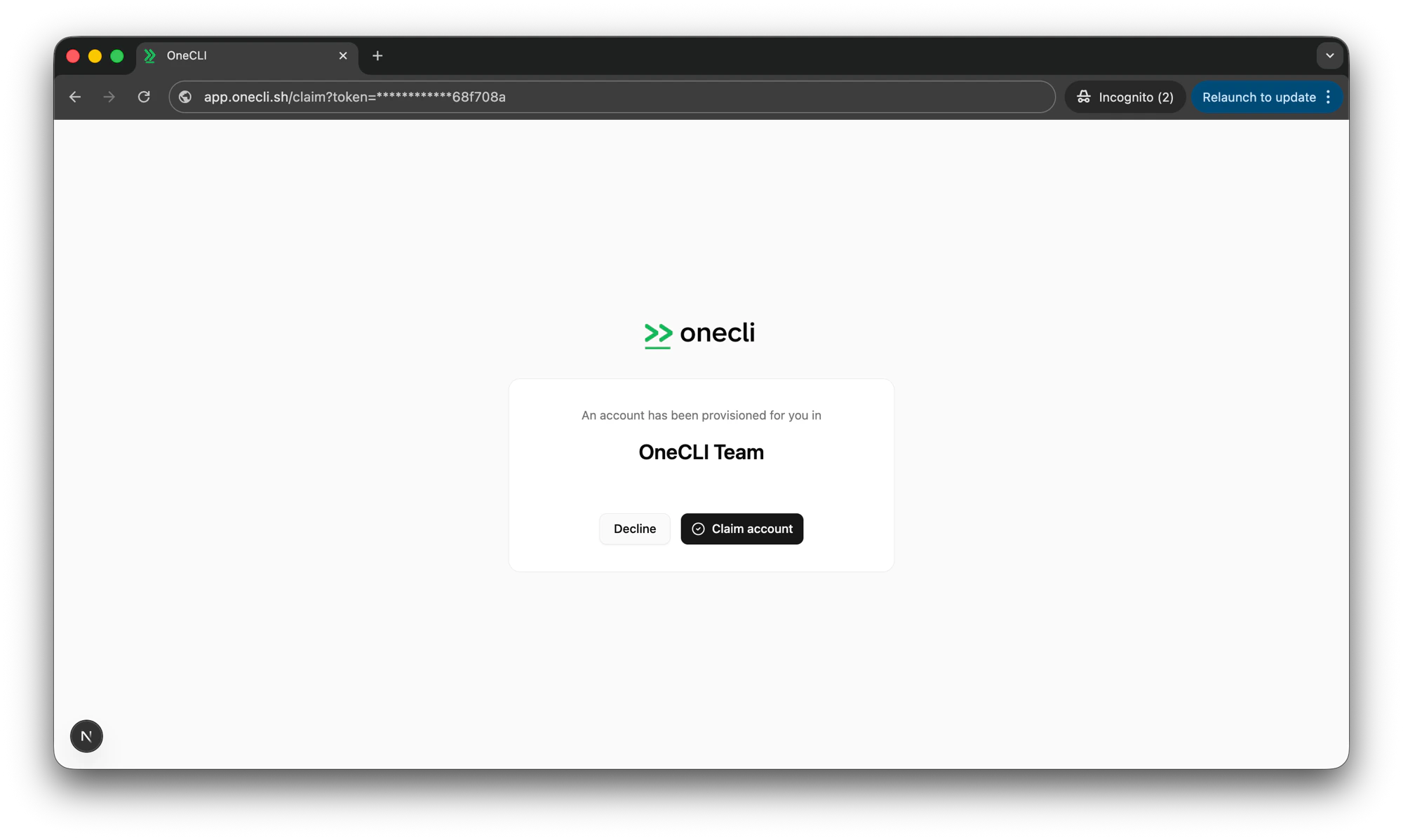
- They’re redirected to the dashboard with the provisioned org as their active context
Expiry and cleanup
- Unclaimed provisions expire after 7 days
- Expired provisions are automatically cleaned up (placeholder user, project, API key, and agent are deleted)
- Cancelled provisions are cleaned up immediately